


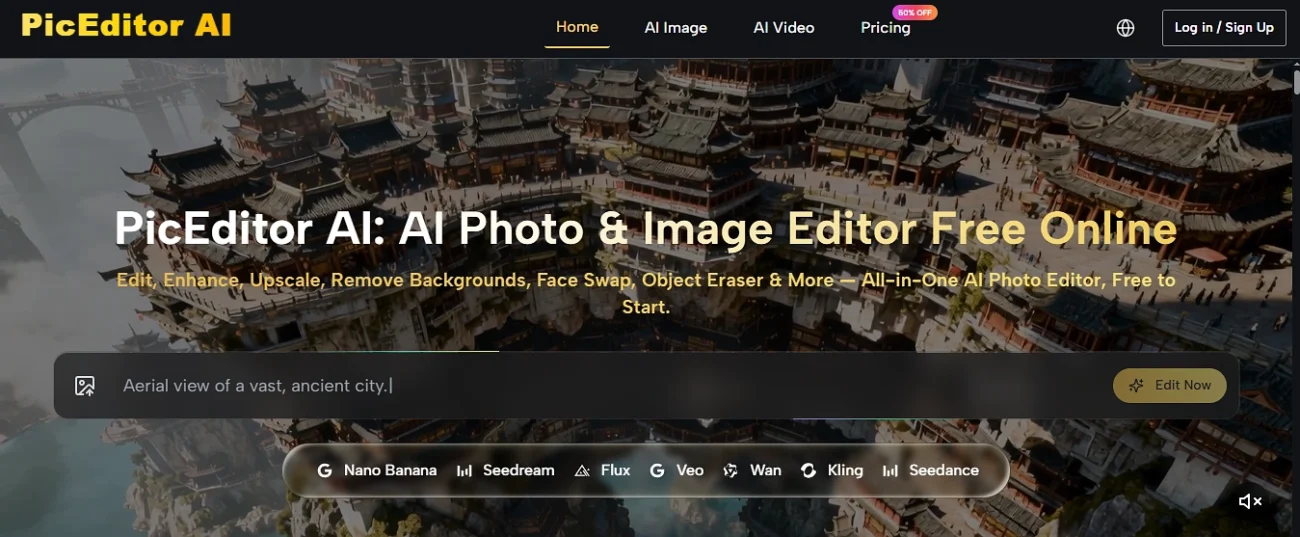
If you’ve spent any time looking for a way to edit images without paying for Photoshop or sitting through a fortnight of tutorials, you’ve probably noticed the market has filled up fast with browser-based AI editors. They all promise more or less the same thing: edit photos in seconds, no skills needed. PicEditor AI is one of the names that comes up in that search, and this is a plain overview of what it actually is, what it does, what it costs, and who it genuinely suits.
The short version first. PicEditor AI is a free online photo and image editor that runs in the browser, with no software to install. It bundles more than ten editing tools into one place, things like background removal, object erasing, upscaling, and face swap, and it also animates still photos into short video. What makes it a bit different from a single-purpose tool is that it isn’t running on one model; it plugs several of the better-known AI engines into the same interface, so you’re picking the right one for the job rather than being stuck with whatever one tool happens to use.
What PicEditor AI actually does
The core of it is image editing rather than image generation, and that distinction matters more than it sounds. Plenty of AI tools will conjure a whole scene from a text prompt. PicEditor leans the other way, towards taking an image you already have and changing specific parts of it, which is usually what people actually need.
The editing toolkit covers the jobs that come up most often:
- Background removal and replacement — strip the background out or swap it for something else, the standard job for product shots and portraits
- Object eraser — remove something unwanted from a photo, a person, a sign, a stray bin, without leaving an obvious patch
- Image enhancement and upscaling — sharpen and clarify a picture, and push it up to a higher resolution, up to 4K on the newer model
- Face swap — swap a face from one image into another
- Generative edit — describe a change in words and have it applied to a specific part of the picture rather than the whole thing
- Style transfer — push a photo into a different artistic style while keeping the subject recognisable
Then there’s the part that goes past still images. PicEditor also animates photos into short video clips, with cinematic motion and even synced audio on the video side, so a static shot can become a few seconds of moving content without a separate tool.
One detail worth knowing if consistency matters to you, the tool supports up to four reference images at once, which is how you keep a character or a product looking the same across a series of edits rather than slightly different every time.
The models doing the work
This is the bit that genuinely separates PicEditor from a lot of single-trick editors. Rather than running on one in-house model, it routes your edit through whichever of several well-known engines suits the task, and you can pick between them.
Nano Banana and the newer Nano Banana 2 handle the hyper-realistic detail work. Nano Banana 2 is the one that pushes output up to 4K resolution and does batch processing, so it’s the pick when you’re editing a lot of images or you need the result sharp enough for a big screen rather than just a phone.
Seedream is built for speed. When you want a fast edit and you’re iterating quickly through ideas, that’s the one doing the rapid turnaround.
Flux is the precision engine, and it’s the one worth knowing about if your edits are fiddly. Flux handles context-aware editing, where you change one element without the rest of the picture shifting around, and it’s also the model that does text-in-image editing, replacing or correcting words inside a picture, which most AI tools are genuinely bad at.
Veo 3 is the animation side, the engine that turns a still photo into moving video with natural motion and synced audio.
The practical upshot is you’re not locked into one model’s weaknesses. If one engine handles hands badly or struggles with text, you switch to the one that doesn’t.
What it costs
PicEditor AI is free to start, which means you can test the core editing tools without putting a card in. For anyone doing higher volumes there are three paid tiers, and at the time of writing they’re running a promotion that cuts the headline prices.
- Starter — around eight dollars a month billed yearly, roughly ten thousand credits, which works out to about four hundred images
- Pro — around twenty-five dollars a month, thirty-two thousand credits, somewhere near one thousand seven hundred images, and the tier the site flags as its most popular
- Unlimited — around seventy-five dollars a month on the current promotion, unlimited credits and images, aimed at heavy users and teams
Unused credits roll over rather than expiring at the end of the month, and you can cancel any time. The paid tiers also strip out the things that tend to annoy people on free plans, no watermark, no ads, private generation, priority processing and a commercial licence. That last point matters if you’re using the images for anything business-related.

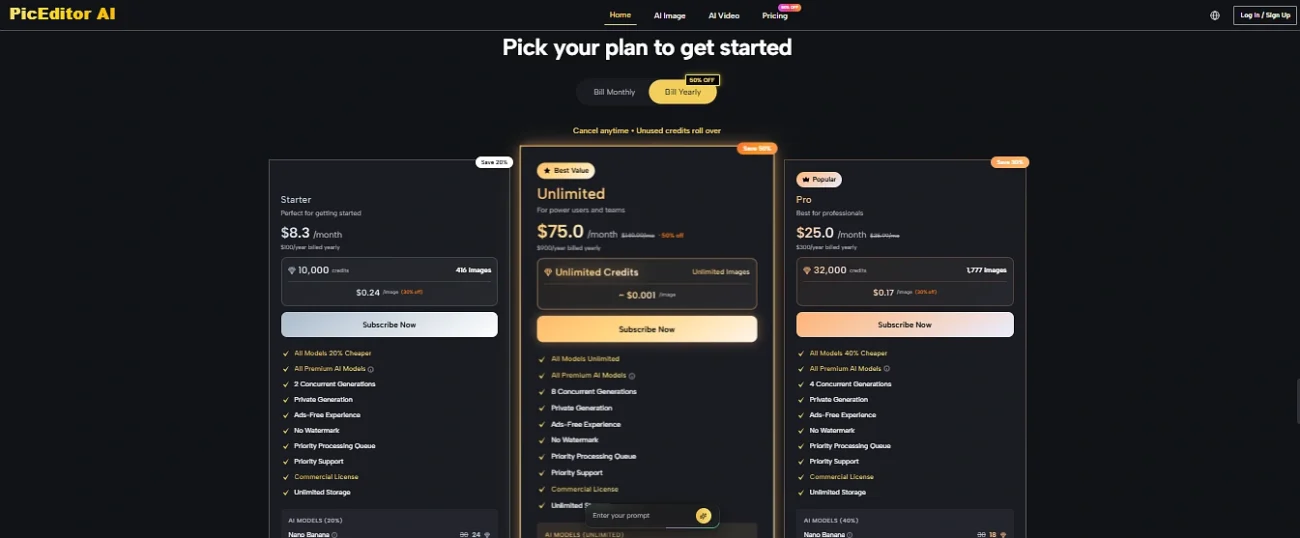
Worth saying plainly, pricing on tools like this changes often and promotional rates don’t last forever, so the numbers above are a guide rather than a fixed quote. The pricing page on the site always has the current figures.
Who it actually suits
An overview isn’t much use without being honest about fit, so here’s the straight version.
PicEditor AI suits anyone who needs solid image edits done quickly without the Photoshop learning curve. Small business owners putting together product shots, people running their own social media, content creators who need a background swapped or an object removed, anyone who wants to upscale an old low-resolution photo. The free tier means you can find out whether it does what you need before spending anything, which is the sensible way to approach any of these tools.
The commercial-rights point is genuinely useful for business users. Everything you edit comes with full commercial usage rights, so images made for a shop, a listing or an ad aren’t sitting in a legal grey area.
Where you’d want realistic expectations, AI editing across the whole market still has rough edges. Text inside images, fine detail on hands, very specific brand fonts, these are the things any AI editor can still get wrong, and PicEditor is no exception even with a strong model like Flux behind the text editing. The honest approach with any of these tools is to check the output properly rather than assume it’s perfect, particularly anything heading into paid advertising where a small artefact undermines the whole thing.
For someone who needs a browser-based editor that covers most common jobs, runs several strong models in one place, and has a free tier to test on, PicEditor AI is a reasonable option to look at. The full tool list, the current pricing and the free starting point are all on the AI Photo Editor site, which lets you try the core tools before deciding whether any of the paid tiers are worth it for what you’re doing.