

Blog
Understanding End-to-End Encryption for Photo Storage

Photos feel personal because they are. Family holidays, your home, the kids growing up. Most people upload them to the cloud without a second thought because the app says everything’s encrypted. That word does a lot of heavy lifting. It sounds safe. Technical. Sorted.
But encryption comes in different flavours, and not all of them keep your photos private from the company storing them. The real question isn’t where your photos live. It’s who else can look at them.
Why Photos Need More Protection
A photo isn’t just a file. One image can show faces, locations, daily routines, and the inside of your house. Text messages disappear into memory. Photos stick around. They get saved, shared, and screenshotted. If they’re exposed, there’s no taking them back.
And for anyone in the UK, this isn’t theoretical anymore. In February 2025, Apple pulled its Advanced Data Protection feature from British users after the government issued a secret order demanding backdoor access to encrypted iCloud data. That feature had allowed people to store photos with end-to-end encryption. Now, UK users can’t enable it at all for photos, backups, notes, or several other data categories.
The order came through something called a Technical Capability Notice under the Investigatory Powers Act 2016 – the law privacy campaigners nicknamed the “Snoopers’ Charter” back when it passed. Apple refused to build a backdoor, so they withdrew the encryption option entirely. Neither choice was great for UK users.
What End-to-End Encryption Actually Does
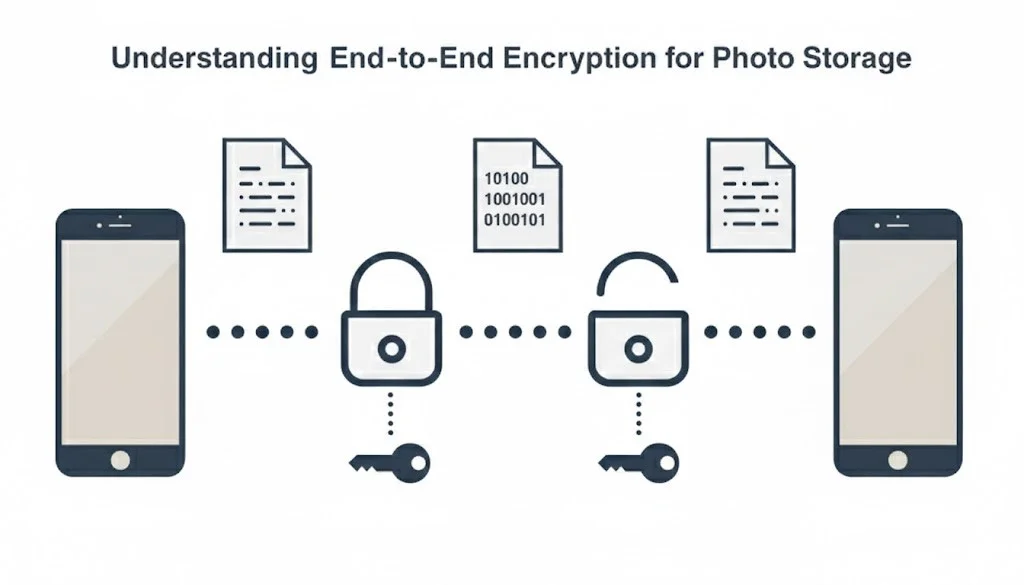
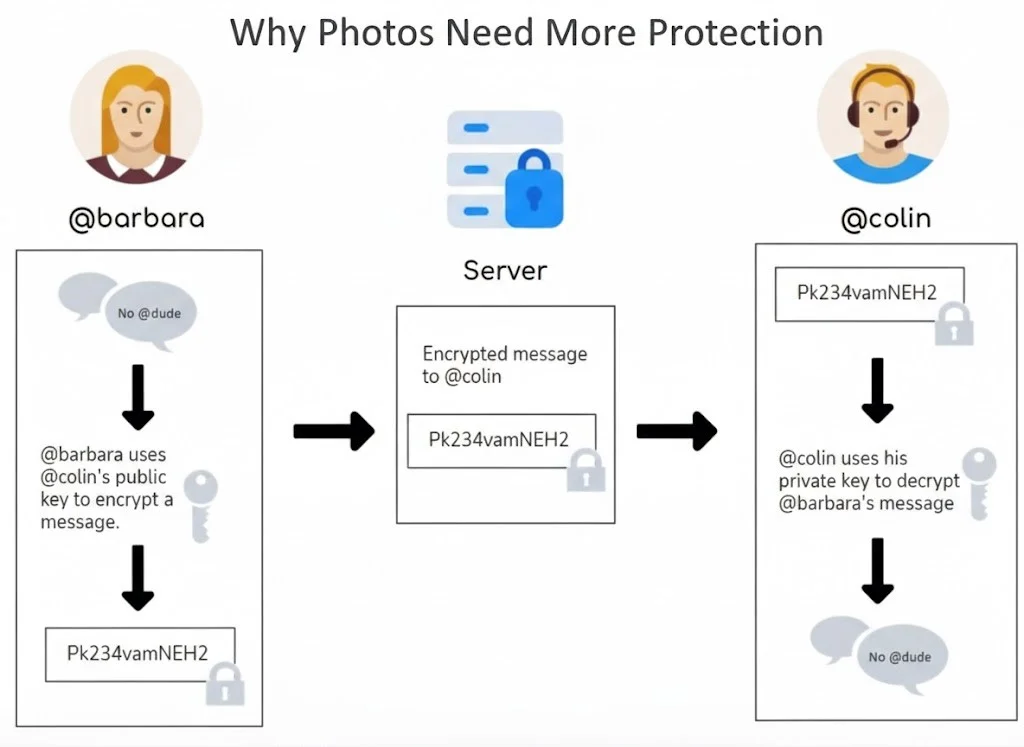
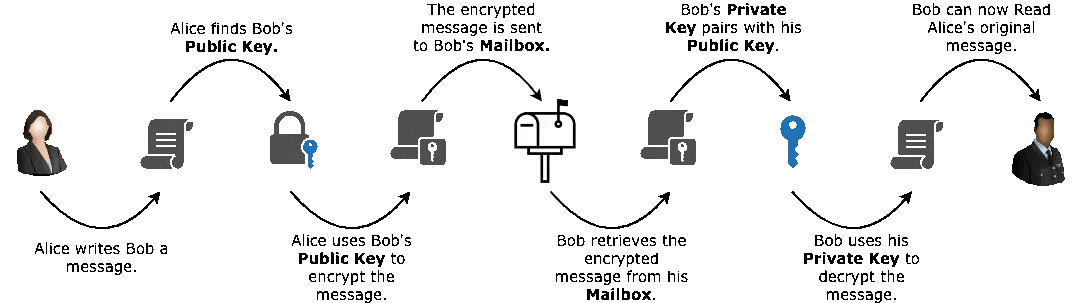
The term gets thrown around so much that it’s almost meaningless. So here’s what it’s supposed to mean: your device locks the photo before it leaves your phone. Only you (or whoever you send it to) can unlock it. Is the company moving and storing that photo? They can’t see inside. They’re just a delivery service handling a sealed package.
The encryption key – the thing that unlocks your photos – stays with you. It never touches the provider’s servers. If a service can help you recover your photos without any involvement from you, they’re holding the key. That’s not end-to-end encryption. That’s just encryption they control.
The Three Types You’ll Actually Encounter
Not all encryption works the same way, and the differences matter.
| Type | Who Holds the Keys | What It Means |
|---|---|---|
| Transport encryption | The service | Photos are protected while moving between your device and their servers. Once they arrive, the provider can access them. |
| Server-side encryption | The provider | Photos are encrypted on their servers, but the provider keeps the keys. They can decrypt your files if asked (or hacked). |
| End-to-end encryption | You | Photos are encrypted on your device before upload. Only your devices can decrypt them. The provider genuinely cannot access them. |
Most mainstream services use the first two. Google Photos, standard iCloud (post the UK changes), Dropbox – they encrypt your data, but they hold the master keys. That’s why they can offer features like facial recognition and search. It’s also why they can hand over your photos if a government demands them.
What Gets Protected and What Doesn’t
Even proper end-to-end encryption has limits. It protects the content of your photos – the actual image data. What it often doesn’t hide is the metadata: file sizes, timestamps, who sent what to whom, and how often you’re uploading.
That information alone can reveal patterns. When you’re active. Where you might be. How you use the service. The photo itself stays private, but the data about the photo can still tell a story.
Cloud Storage Changes Everything
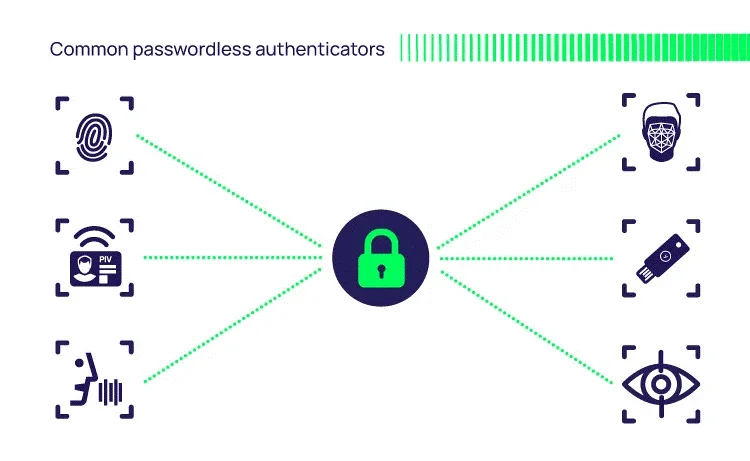
Photos sitting on your phone rely on your device’s security – screen locks, biometrics, and the phone’s own encryption. You control access directly.
The moment those photos hit the cloud, the rules shift. Cloud services might:
- Store multiple copies across different locations
- Enable account recovery tools that require key access
- Process images for features like search or facial grouping
- Respond to legal requests from governments
Some services sidestep this by encrypting photos before upload and keeping keys with the user. This approach is common among privacy-focused cloud storage for photos options, where the provider genuinely cannot see what you’re storing. Worth considering, especially if you’re in the UK, where the rules around government access have shifted.

Backups: The Privacy Gap Most People Miss
Automatic backups are convenient. They’re also a potential hole in your privacy.
Many backup services encrypt your data but keep recovery access. That’s the trade-off: if you lose your password, they can help you get back in. But it also means they can access your photos if required to.
Some services offer encrypted backups where losing your recovery key means losing your data permanently. No one can help you. That’s a real choice between convenience and control.
What Happens After You Hit Send
End-to-end encryption protects photos in transit. It does nothing once they arrive.
Once someone receives your photo, they can:
- Save it to their camera roll
- Forward it to anyone
- Screenshot it
Encryption secures the journey. It can’t control what happens at the destination. For anyone sharing sensitive images – parents, professionals, anyone really – that’s worth remembering.
What Encryption Can’t Protect Against
Strong encryption won’t help if someone:
- Unlocks your phone while you’re not looking
- Installs a dodgy app with access to your photos
- Saves copies outside encrypted apps
- Gets into your account through phishing or weak passwords
Most photo privacy problems aren’t about broken encryption. They’re about device access, bad apps, or simple human error. Encryption is one layer of protection. It works best alongside decent security habits.
The UK Situation
For British users specifically, the landscape has genuinely changed. Apple’s Advanced Data Protection – the feature that enabled proper end-to-end encryption for iCloud photos – is no longer available in the UK. The government order that triggered this remains secret, and while court challenges are ongoing, the practical reality is that UK Apple users can’t currently enable full encryption for their photo backups.
Messages and FaceTime remain end-to-end encrypted. But photos, notes, iCloud Drive, and backups? Those now use standard encryption where Apple holds the keys and can comply with legal requests.
This doesn’t mean your photos are suddenly public. They’re still encrypted. But the type of encryption has changed, and so has who can potentially access them.
Common Misconceptions
A few things people often get wrong:
“Encrypted means private” – Only if you control the keys. Otherwise, it’s private from hackers but not necessarily from the provider or governments.
“Big tech companies can’t see my photos” – Most can, unless you’ve specifically enabled end-to-end encryption (where available). They need access to offer features like search and facial recognition.
“Backups have the same protection as the app.” – Often, they don’t. An encrypted messaging app might back up to a cloud service with weaker encryption.
“If it’s illegal to access my data, companies won’t do i.t” – Companies comply with legal orders. The question is whether they technically can comply, which depends on who holds the encryption keys.
Making Better Choices
Understanding how encryption works helps you ask the right questions:
- Does this service use end-to-end encryption for photos?
- Who controls the encryption keys?
- What happens if I forget my password – can they help me recover my photos?
- What data is still visible even with encryption enabled?
- Does backup change the encryption model?
Photos document your actual life. Kids are growing up. Your home. Private moments. Knowing how they’re protected – and where the gaps are – matters more than trusting a reassuring word in a marketing blurb.
The goal isn’t paranoia. It’s making choices based on what’s actually happening to your data rather than what sounds good in an app description.