

Blog
Apple Dropped 8GB MacBooks In 2024 and That Tells You How Much RAM You Need

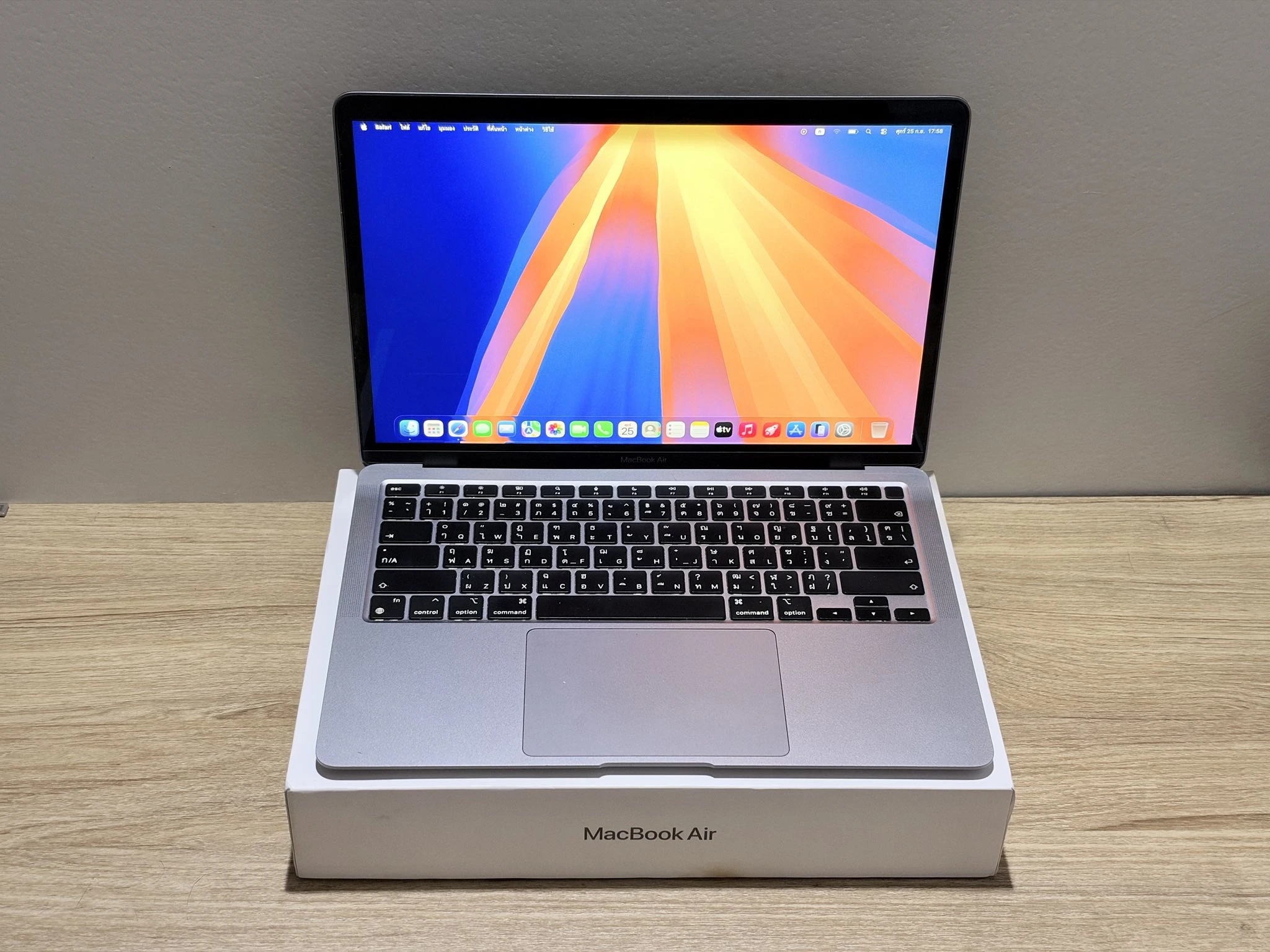
Right, this one is a saga, and it needs the dates in it or it makes no sense. On 30 October 2024, the same day Apple showed off the M4 MacBook Pros, it went on to its own website and changed the cheapest MacBook Air, the M2 one and the M3 one, from 8GB of memory to 16GB. Same $999 price in America. The day before, 16GB on that Air was a $200 extra. The day after, it was free. No one at Apple stood on a stage and said it, it was a line in the MacBook Pro press release and that was that.
And for about 16 months after that you could not buy a new MacBook with 8GB in it from Apple. Not an Air, not a Pro. So the how much RAM do I need argument sort of died, because Apple had answered it, and the answer was 16, and the price had not gone up, so fine.
Then this year Apple put 8GB back on sale. It announced the MacBook Neo on 4 March, took orders the same day, and it was in the shops on 11 March. Thirteen inch, runs on the A18 Pro, which is the iPhone 16 Pro chip, 8GB of memory, and you cannot pick more. There is no 16GB Neo, Apple’s own spec page says so, and MacRumors checked too. So the question is back, and honestly it is a better question now, because Apple has made its own mind up twice and gone 2 different ways, and once you see why, you know what to buy.
Apple Said 16GB Was The Normal Amount, Then Sold An 8GB One Anyway
Right now every MacBook Air Apple sells starts at 16GB, there is no 8GB MacBook Pro at all, and the one new MacBook with 8GB is the Neo, which exists to be the cheap one. And the prices have moved this year, so these are the ones on Apple’s UK store as of this week. The MacBook Air with the M5 chip is from £1,299. It launched in March at £1,099, with £999 as the education price, and it has gone up since. The 14 inch MacBook Pro is from £1,999, when the M5 one launched at £1,599 last October. The Neo went on sale at £599 and is now £699 for the 256GB model. So that’s £100 on the Neo and £200 on the Air in 7 months, which, yeah, is a lot, and Macworld has the old and new Neo prices side by side if you want to check.
Now, Apple has never said why it did either of those things, so this is us reading it, not Apple. The way we read it is that for a laptop people keep for years, Apple decided 8GB had become a problem, so it went. And for a laptop that costs under £700 and runs on a phone chip, Apple reckons 8GB is fine, because the person buying it is buying it for mail, the web and homework, which is how Apple describes the Neo. Those 2 things are not a contradiction, they are the answer. If you plan on keeping it, 16. If it is the cheap one and you know what it is for, 8 is alright.
The 8GB Question Really Belongs To Second-Hand Buyers Now
Buying new, the Neo is the only place you meet 8GB. Buying used is a different story altogether, and it is the bit most RAM guides skip, because used is where the 8GB machines all are.
The M1 Air from 2020, the M2 Air from 2022 and the M3 Air from March 2024 all shipped with 8GB as the base, Apple’s own spec pages list them that way, so a lot of what is on eBay, in CeX and on Back Market today is an 8GB Air. Apple has never said how many of each it sold, so we will not pretend to know, but go and look at the listings and the 8GB ones are usually the cheaper ones. So if you are the person looking at a 2022 M2 Air for a few hundred pounds and wondering if 8GB will do, you are the person this is for.
8GB Is Fine Until About 2 In The Afternoon
The thing with memory is that nothing is heavy on its own. Mail is not heavy. Safari is not heavy. A Word document, a Teams call, Spotify, none of those need much. The trouble is no one runs one of them. You run all of them, plus Chrome with 30 tabs, plus Slack, plus OneDrive syncing something in the background, and somewhere around 2 in the afternoon that is where 8GB runs out.
What happens then is the Mac starts using the SSD as overflow space for memory, Apple calls it swap, and because the SSD is quick it does not fall over, it goes treacly. A tab takes a second to come back. The fans, on the Macs that have fans, come on for no reason. On an 8GB Air with 30 tabs and a Teams call going, that is a normal Tuesday.
So, roughly, and this is us talking from use, not measured thresholds from Apple, and your own apps will move the line:
- Mail, web, documents, one video call, a handful of tabs. 8GB is fine. 16 is fine. 24 is more than most people would ever notice.
- Dozens of live Chrome tabs, Teams and Slack open all day. 8GB is far more likely to be leaning on compression and swap all afternoon. 16 is fine.
- RAW photos in Lightroom. 8 is tight. 16 is fine for most. 24 is comfortable.
- 1080p or light 4K video editing. 8 is hard work. 16 works for most projects. 24 and up is where it is comfortable.
- Virtual machines, Docker, a big dev setup. We would not do it on 8. 16 is the starting point. 24 or 32 is where you want to be.
- Big music sessions with orchestral sample libraries. Same again. Not on 8, 16 is tight, 32 is where you want to be.
One thing people get wrong, the job title tells you nothing. An office admin with 40 tabs, 3 cloud dashboards and back to back Teams calls is leaning on the memory far harder than a photographer who edits one picture at a time and closes it. It is how many things are open, not what the job is called.
Activity Monitor Will Tell You If Yours Is Short
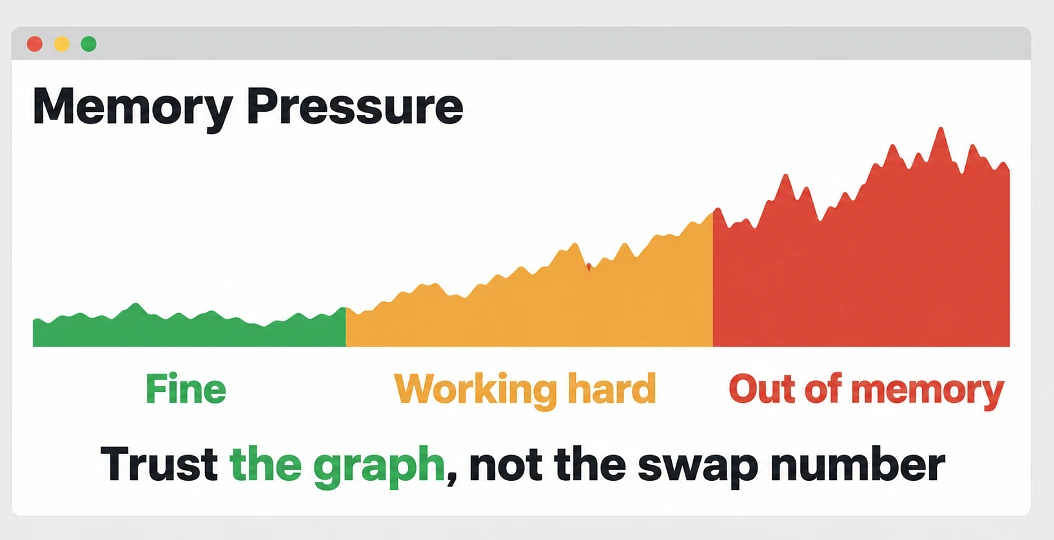
Say you have already got a Mac and you want to know if the memory is why it is slow. You do not have to guess. You open Activity Monitor, it is in Applications and then Utilities, you click the Memory tab along the top, and down at the bottom there is a little graph called Memory Pressure. Green is fine. Yellow means it is working for it. Red means it has run out and it is swapping hard.
Next to that graph there is a line that says Swap Used, and the mistake people make is judging it on that number alone. Swap builds up over days, so a big number on its own does not mean much. Apple says the Memory Pressure graph is the one to trust, because it takes the swap rate, free memory and cached memory all together. So the test is this. On a normal busy afternoon, with your usual apps open, does that graph sit in yellow or red, and does the Mac go treacly while the swap number is climbing? If yes, memory is the limit. And do it on a busy afternoon, not first thing after a restart, because after a restart you are looking at an empty Mac, not your Mac.
You Cannot Add More Later, And That Decides The Resale Price Too
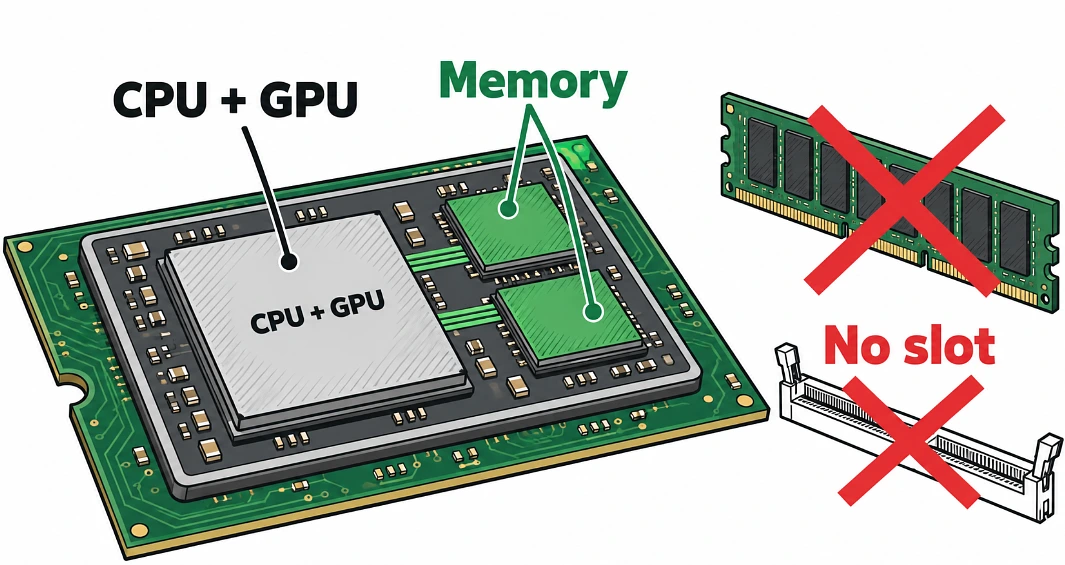
This is the part that makes it matter more on a Mac than on a Windows laptop. Apple silicon uses what Apple calls unified memory, which means the memory chips sit on the same package as the processor and the CPU and the GPU share the one pool. It is fast, and it is not in slots. The amount you buy on day one is the amount that Mac has for the rest of its life. No shop can put a stick in later, there is no stick to put in.
So the step up costs money up front. On the Air, 16GB to 24GB is a $200 step in America and a £200 step on Apple’s UK store. But the memory being fixed for life is also why a 16GB M2 Air tends to fetch more second-hand than an 8GB one, because the 16GB one has the headroom for heavier work and the software still to come, and a buyer looking for a laptop to keep will pay for that.
What we would do is buy 16 and stop thinking about it, unless the work is video, virtual machines or big music sessions, in which case go 24 or 32 and stop thinking about it there instead. And 8 only on a Neo, or on a cheap used Air, and only if the job is mail, web and documents, and you have been honest with yourself about the Chrome tabs.